
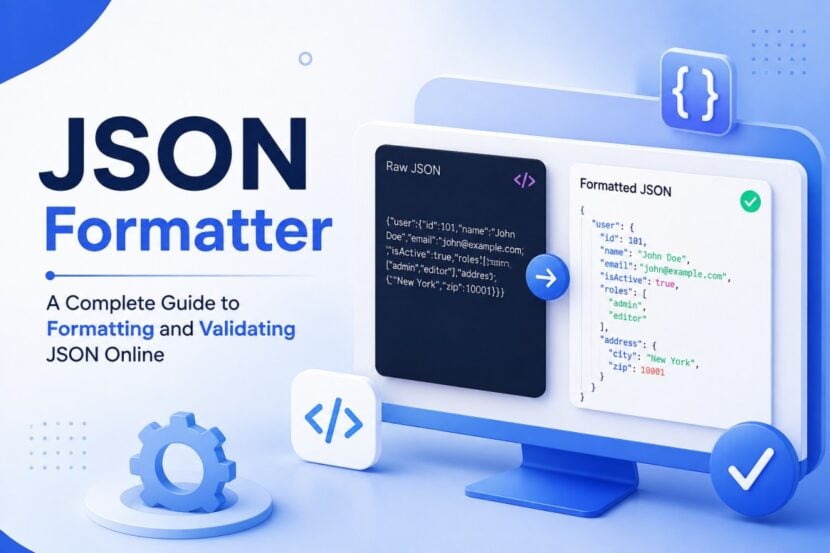
JSON is everywhere in modern web development. APIs, websites, mobile applications, software tools, and cloud services frequently use JSON to exchange structured information. While JSON is easy for computers to process, a large or compressed JSON response can be difficult for people to read.
A JSON Formatter Online helps solve this problem by turning unstructured or minified JSON into a clean, organized format. Many tools also include validation features that help identify syntax problems.
In this guide, you will learn how online JSON formatting works, how to validate JSON, common errors to watch for, and how formatting can make development and debugging easier.
What Is a JSON Formatter Online?
A JSON Formatter Online is a web-based tool that makes JSON data easier to read and inspect.
When JSON is returned from an API, it may appear as a single long line:
{"name":"Alex","age":29,"skills":["HTML","CSS","JavaScript"],"active":true}
After formatting, the same information becomes easier to understand:
{
  "name": "Alex",
  "age": 29,
  "skills": [
    "HTML",
    "CSS",
    "JavaScript"
  ],
  "active": true
}
The formatter does not normally change the actual information. It changes the presentation by adding indentation and line breaks.
Why Is JSON Formatting Important?
Readable data is easier to understand, troubleshoot, and maintain. This becomes particularly important when JSON contains multiple nested objects and arrays.
A JSON formatter can help you:
- Understand API responses
- Inspect large JSON files
- Identify nested data
- Troubleshoot syntax problems
- Review configuration files
- Prepare JSON for documentation
- Check data before using it in an application
For developers who regularly work with APIs, formatting can save considerable time.
How Does a JSON Formatter Work?
Most JSON formatting tools follow a simple process.
First, the tool reads the JSON input and checks its structure. It identifies objects, arrays, values, and nesting levels.
If the JSON is valid, the formatter adds appropriate indentation and line breaks. The result is known as pretty-printed JSON.
If the input contains invalid syntax, a tool with validation capabilities can report an error instead of producing a formatted result.
This makes formatting and validation useful together.
JSON Formatter vs JSON Beautifier
You may see the terms JSON Formatter, JSON Beautifier, and JSON Pretty Printer used for similar tools.
The main purpose is generally the same: make JSON easier for humans to read.
A beautifier may focus primarily on presentation, while a formatter may also provide validation, syntax highlighting, tree views, or other development features.
The exact functionality depends on the tool.
What Is JSON Validation?
Formatting and validation are related but different.
JSON formatting improves readability.
JSON validation checks whether the data follows JSON syntax rules.
Consider this example:
{
  "name": "Alex",
  "age": 29
}
This is valid JSON.
Now consider:
{
  "name": "Alex",
  "age": 29,
}
The trailing comma can make the document invalid according to standard JSON syntax.
A JSON validator can help detect such problems before the data is used by an application.
Common JSON Errors
When JSON fails to parse, the problem is often caused by a small syntax mistake.
Missing Commas
Object properties need to be separated correctly.
{
  "name": "Alex",
  "age": 29
}
Removing the comma between properties can cause a parsing error.
Incorrect Quotes
JSON requires double quotation marks for strings and property names.
Incorrect:
{
  'name': 'Alex'
}
Correct:
{
  "name": "Alex"
}
Missing Brackets
Nested objects and arrays must be properly closed.
For example, an opening { must have a corresponding }.
Extra Commas
Trailing commas are a common source of invalid JSON.
This can happen when developers manually edit large JSON documents.
Incorrect Nesting
Objects and arrays can contain other objects and arrays, but their opening and closing characters must match correctly.
A formatter with validation can make these issues easier to locate.
How to Format JSON Online
Formatting JSON online usually requires only a few steps.
1. Copy Your JSON
Copy the JSON response or content you want to inspect.
2. Open a JSON Formatter
Choose an online JSON formatting tool that supports the amount of data you need to process.
3. Paste the JSON
Place the content into the input field.
4. Format the Data
Use the formatter or beautify option to organize the JSON.
5. Review Validation Results
If the tool provides validation, check whether the JSON contains syntax errors.
6. Copy the Result
Once the JSON is correctly formatted, you can copy the output for development, debugging, or documentation.
Using a JSON Formatter for API Responses
APIs commonly return JSON because it is lightweight and supported by many programming languages.
However, API responses can become difficult to read when they contain:
- Hundreds of properties
- Nested objects
- Multiple arrays
- Customer or product records
- Authentication responses
- Pagination information
- Metadata
Formatting the response creates a clearer visual structure.
For example, developers can quickly identify which fields belong to a user object and which fields belong to an embedded address or order object.
This is particularly helpful when testing REST APIs.
JSON Formatter for Debugging
Debugging often involves examining the exact data an application receives or sends.
A formatted JSON response can help developers locate:
- Missing properties
- Unexpected values
- Incorrect nesting
- Empty arrays
- Incorrect data types
- Unexpected API fields
Instead of scanning a long single-line response, developers can inspect each section individually.
JSON Formatter for Large JSON Files
Large JSON files can become difficult to maintain when they are compressed or generated automatically.
Formatting creates visual separation between different objects and arrays.
For example, a dataset containing product information might include:
{
  "products": [
    {
      "id": 1,
      "name": "Laptop"
    },
    {
      "id": 2,
      "name": "Monitor"
    }
  ]
}
The indentation makes the relationship between the products array and its individual objects immediately visible.
JSON Pretty Print and Minified JSON
There are two common ways JSON may be displayed.
Pretty-printed JSON contains indentation and line breaks for readability.
Minified JSON removes unnecessary whitespace to make the file smaller.
Pretty JSON is generally better for people to read and debug, while minified JSON can be useful when reducing data size for transmission or storage.
A JSON formatter can convert minified JSON into a readable format without changing its underlying values.
Benefits of Using an Online JSON Tool
An online JSON formatting tool can be useful because it does not usually require software installation.
Quick Access
You can open the tool in a browser and start working immediately.
Easy Formatting
Large JSON structures can be organized automatically.
Error Detection
Validation features can help identify syntax problems.
Better API Testing
Formatted responses are easier to inspect during API development.
Improved Learning
Beginners can use indentation to understand how JSON objects and arrays are structured.
Is It Safe to Use an Online JSON Formatter?
You should always consider the type of information you are pasting into an online tool.
Avoid submitting confidential information such as:
- Passwords
- API keys
- Authentication tokens
- Private customer information
- Financial records
- Proprietary business data
- Other sensitive information
For confidential JSON, a local formatting application or developer tool may be more appropriate.
JSON Formatter for Beginners
Learning JSON becomes easier when the structure is visually clear.
A beginner can use a formatter to understand the relationship between:
- Keys and values
- Objects
- Arrays
- Nested objects
- Boolean values
- Numbers
- Strings
- Null values
Instead of viewing JSON as a complicated block of characters, formatting shows its hierarchy.
Tips for Writing Valid JSON
A few simple practices can prevent many JSON errors:
- Use double quotes for strings.
- Make sure every opening bracket has a closing bracket.
- Separate object properties with commas.
- Avoid unnecessary trailing commas.
- Keep object and array structures properly nested.
- Validate JSON before sending it to an API.
- Use formatting when reviewing large JSON documents.
Frequently Asked Questions
What is a JSON Formatter used for?
A JSON Formatter organizes JSON into a readable structure using indentation and line breaks. It is commonly used for API testing, debugging, development, and learning.
Can a JSON Formatter fix invalid JSON?
Some tools can identify syntax errors, but formatting does not automatically fix every type of invalid JSON. You may need to correct the underlying syntax yourself.
What is JSON Pretty Print?
JSON Pretty Print is the process of displaying JSON with indentation and line breaks so that people can read its structure more easily.
Can I format API responses with a JSON Formatter?
Yes. JSON formatters are commonly used to make API responses easier to inspect, particularly when responses contain nested objects and arrays.
Does formatting JSON reduce its size?
No. Pretty formatting generally adds whitespace, making the displayed JSON larger. Minification removes unnecessary whitespace when a smaller representation is needed.
Is JSON the same as JavaScript?
No. JSON was inspired by JavaScript object syntax, but it is a separate data format with its own syntax rules.
Final Thoughts
A JSON Formatter Online is a practical tool for turning difficult-to-read JSON into a structured and understandable format. Whether you are working with an API response, debugging an application, reviewing a configuration file, or learning JSON, proper formatting can make the process much easier.
When combined with JSON validation, formatting also helps developers spot common syntax problems before they interfere with an application or API request.
For anyone regularly working with structured data, keeping a reliable JSON formatter available can make everyday development and troubleshooting more efficient.