
Personal transportation has increasingly evolved into a networked digital environment. Modern vehicle cabins now incorporate wireless connectivity, capacitive touch displays, navigation suites, and diagnostic sensors that constantly process operational information. While these integrated tools offer convenience during daily commutes, they also generate and distribute continuous streams of personal telemetry, contact lists, and positional records.
Taking control of in-car technology does not require technical expertise or mechanical modifications. By approaching your dashboard console, paired mobile devices, and diagnostic ports with the same practical security mindset applied to home networking hardware, you can enjoy digital conveniences while maintaining firm boundaries around personal data.
Understanding What In-Cabin Systems Collect
Every time you settle into the driver seat, multiple onboard computing modules initiate background communications. Infotainment heads synchronize address books, recent calls, text message alerts, and multimedia preferences from paired mobile devices. Meanwhile, internal engine control units, positional antennas, and optical sensor arrays quietly record drive patterns, throttle behavior, steering wheel angle changes, and location checkpoints.
This technical telemetry typically serves dual purposes. Some data points remain stored locally on internal storage chips to smooth out navigation caches, manage cabin climate profiles, or assist mechanics during standard maintenance procedures. Other data streams transfer over integrated cellular modems to remote manufacturer servers, cloud navigation platforms, or connected third-party utility applications.
Distinguishing between critical operational functions and nonessential convenience features is the initial step toward an effective digital audit. While vital collision-avoidance systems and emergency dispatch beacons rely on sensor integrity, secondary features like voice-activated search history, remote seat adjustment presets, and ambient media analytics operate independently and can usually be modified without affecting road safety.
Reviewing Mobile App Permissions and Sync Profiles
Most automotive manufacturers provide companion applications that allow vehicle owners to track maintenance intervals, monitor tire pressure, lock doors remotely, or verify fuel levels from a smartphone. While convenient, these companion programs frequently request wide-ranging phone permissions that extend far beyond vehicle operational needs.
When installing or auditing your companion automotive app, review each requested access tier individually. Granting location access only while using the application prevents continuous background coordinate tracking. Similarly, access requests for device photos, local storage files, and microphone audio should remain disabled unless you actively employ specific in-app dictation or image upload tools.
Physical connections inside the console also warrant careful management. Plugging a smartphone into a dashboard universal serial bus port often prompts an automatic request to synchronize contacts, call logs, and calendar events. Setting boundaries during device connection keeps your information private:
- Select charge-only mode when plugging your phone into public fleet vehicles, rental cars, or loaner models.
- Decline contact synchronization prompts on dashboard consoles if you only require audio playback and navigation mapping.
- Delete paired device profiles from the console interface before returning or transferring ownership of any automobile.
- Review connected services accounts once every few months to remove inactive phones or outdated user keys.
Maintaining clean connection profiles prevents personal directory entries from lingering on vehicle hardware long after your trip concludes.
Managing Diagnostic Ports and Third-Party Hardware
Nearly every consumer automobile features an onboard diagnostics port located beneath the steering column or lower dashboard fascia. Originally created to help mechanics identify engine faults and emissions performance, this physical port has become a common connection hub for aftermarket dongles, dashcam power adapters, and driving performance loggers.
Plug-in telemetry devices often send continuous trip logs, vehicle speed readings, and sudden deceleration alerts back to external platforms through built-in cellular chips. Drivers frequently install these modules to participate in voluntary monitoring initiatives that reward consistent, measured vehicle handling. When evaluating how digital monitoring pairs with policy incentives, reviewing the fundamentals of Automobile Insurance helps clarify how driving metrics and recorded trip data interact with overall coverage models. Understanding which parameters are actively logged ensures you make informed decisions about your connectivity preferences.
Before attaching any third-party accessory to your diagnostic interface, verify where its recorded travel logs reside and whether the device continues drawing power or broadcasting telemetry when the ignition is switched off. If a plug-in adapter lacks clear local configuration options, consider dedicated hardware solutions that draw electricity from standard cabin power points rather than tapping directly into internal communication buses.
Adjusting Telematics and Location Sharing Toggles
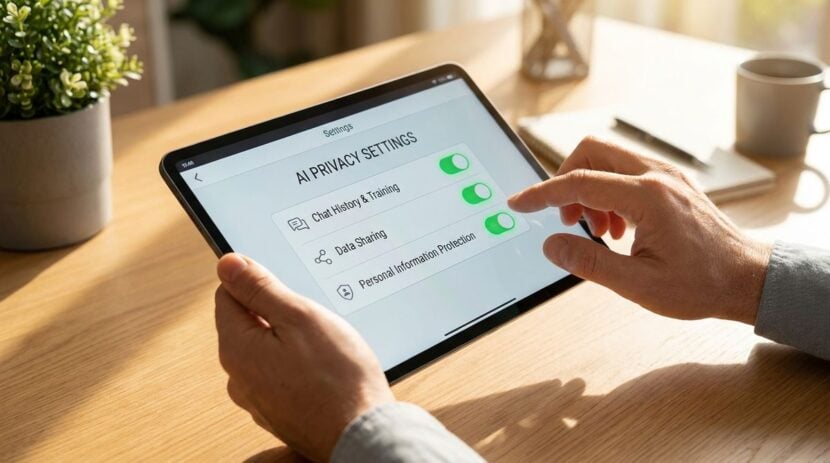
Navigating the complex nested menus of a digital infotainment console requires patience, but doing so uncovers valuable privacy controls. Most contemporary interfaces include dedicated submenus for connectivity, data transmission, and cloud diagnostics. Spending a short session exploring these settings allows you to deactivate optional marketing telemetry and nonessential location tracking.
Automotive manufacturers frequently update the interface designs and software bundles that govern connected cabins. Keeping up with redesigns across automatic platforms, digital displays, and performance trims through publications like Auto Car News HQ gives drivers a clearer sense of how newly released interior technologies handle user accounts and cloud integrations. As new models introduce deeper integration between wireless phone projection and internal consoles, staying updated makes it easier to navigate fresh interface layouts.
Documenting which toggles you change during an audit keeps your setup predictable across future updates. Just as maintaining structured steps helps when troubleshooting domestic networks or searching device manuals, applying routine checklists for digital problem solving allows you to track modifications systematically without overlooking critical security switches. A simple note on your phone listing disabled permissions ensures that you can restore or re-evaluate settings whenever an over-the-air patch arrives.
Pay close attention to wireless network settings within the console. If your vehicle includes an onboard wireless local area network hotspot that you do not actively subscribe to or utilize, disable the broadcasting radio. Shutting down inactive wireless radios reduces the digital footprint of your cabin and eliminates unnecessary connection attempts from nearby mobile devices.
Establishing a Clean Routine for System Resets
Vehicles change hands through sales, trade-ins, lease returns, and rentals. Just as you would format a personal computer or wipe a mobile handset prior to disposal, your vehicle infotainment system requires an intentional data sanitation procedure before ownership transfers.
Locate the master factory reset option within the console settings menu. Executing a factory reset clears stored garage door codes, home navigation destinations, paired wireless phone pairings, downloaded phonebooks, and saved media streaming credentials. Perform this reset in an open area with stable cellular reception so the vehicle can successfully unbind its digital profile from connected cloud registries.
Additionally, remember to disconnect the vehicle identification profile from your personal smartphone application. Logging out of companion accounts and deleting the vehicle profile prevents subsequent telemetry transmissions from associating with your personal credentials.
Managing the digital footprint of your transportation does not require disconnecting from modern conveniences entirely. By applying selective permission grants, inspecting hardware attachments, and conducting periodic audits of onboard software toggles, you establish a well-balanced in-car environment that prioritizes personal security alongside everyday utility.