
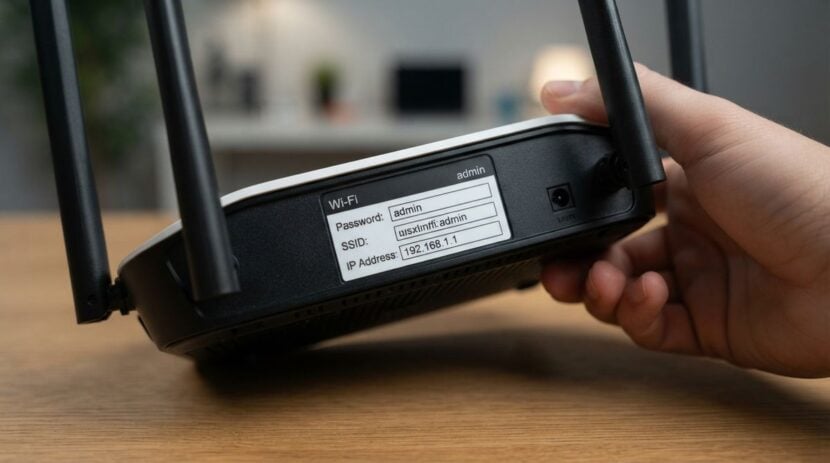
Home networks often gain televisions, speakers, cameras, printers, and forgotten gadgets over time. A regular device check helps you recognize what is connected and remove access that no longer belongs.
The routine should create an understandable inventory and identify devices that need updates, stronger settings, or disconnection. Treat the first version as a working routine. It should be understandable, reversible where possible, and easy to revise when direct evidence contradicts an assumption.
Define the outcome and boundaries
Start by naming the result you need rather than collecting random settings or fixes. Use router and device controls you are authorized to manage, and avoid intrusive scanning tools you do not understand. A clear boundary prevents an ordinary maintenance task from turning into risky experimentation.
Readers may also want to visit fashiontrendslatest.com. General advice can suggest questions; it cannot confirm what a particular screen or warning means.
The routine should create an understandable inventory and identify devices that need updates, stronger settings, or disconnection. Also write down what would make you stop. Stop conditions protect data and hardware when the next action requires skills, access, or tools you do not have.
Prepare with real evidence
Gather the router’s official management instructions, household device list, network names, and any prior inventory. Record exact wording, dates, and observable behavior where relevant. Memory tends to compress several different symptoms into one story.
You can also visit luvlybeauty.com for more reading. If the consequences could be serious or the instructions conflict, pause and ask qualified support rather than guessing.
Choose a quiet time because renaming, updating, or restarting equipment may briefly interrupt service. Tell household members before disconnecting an unfamiliar device; it may be a legitimate gadget with an obscure technical name. Before changing anything, preserve important data and note the current settings so a reversible test can actually be reversed.
Use a repeatable sequence
Work through one controlled sequence and change one important variable at a time:
- Open the router’s official management page or application through a trusted local route.
- Compare connected-device names and addresses with devices physically present.
- Rename recognized entries clearly without embedding private personal information.
- Check each important device for approved updates and remove unused network access.
- Record unresolved entries and investigate them one at a time before blocking.
The list is a guide, not permission to ignore new warning signs. Keep a brief note of what you tried and what changed. That note is especially useful when a problem is intermittent or when another person needs to continue the investigation.
Start with a low-risk example and confirm the result directly. A message that says complete does not always prove that a file restored correctly, an account closed, or a device stayed stable. Open a sample, check the destination, or repeat the original action under comparable conditions.
Notice problems and improve
Factory names can be misleading, and changing several network settings together can make a harmless identification problem harder to solve. Look for devices that reconnect after removal, unsupported equipment, default administration credentials, and unexpected remote access.
For a related read on this site, see How to Optimize Your Video Call Tech and. Secure router administration, change network credentials when justified, reconnect trusted devices carefully, and seek technical help for persistent unknown access.
Repeat the routine after adding equipment, hosting long-term guests, changing the router, or learning that a device no longer receives support. Do not keep adding steps forever. If several precautions address the same cause, improve the setup or source instruction instead of making the checklist harder to use.
Keep the inventory simple: a friendly device name, general type, owner or room, connection method, and review date are usually enough. Do not publish the list or fill it with passwords. If you change the wireless password, plan the order for reconnecting essential devices so heating, communication, or security functions are not overlooked. Retire obsolete gadgets by removing their network access and following appropriate data-clearing instructions.
A home network becomes easier to protect when its membership is intentional. Recognition and maintenance are more useful than reacting fearfully to every unfamiliar label.
Do not overlook wired devices, secondary access points, or gadgets that connect only occasionally. A sleeping device may disappear from the current list and return later, so compare observations across normal household routines. If the router supports an approved guest network, use it according to the manufacturer’s guidance for visitors and lower-trust gadgets. Network separation helps only when the household understands which network each device should join and maintains both responsibly.