
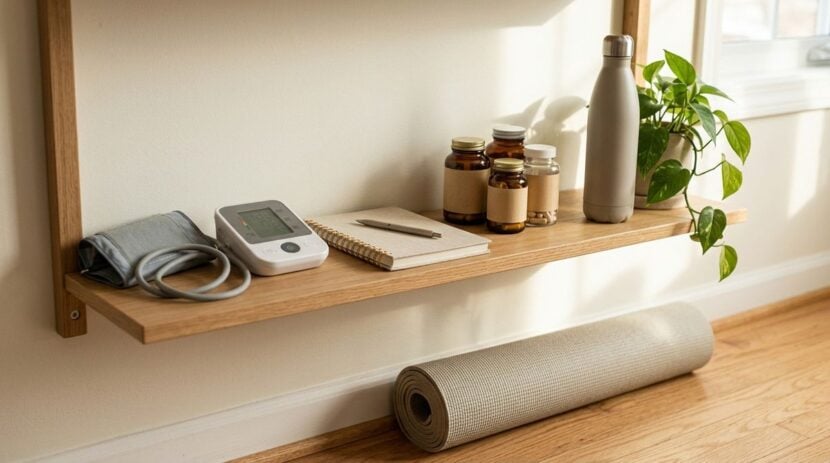
Long hours in front of a computer screen can gradually drain your energy, strain your posture, and cloud your focus. Most people treat their computer strictly as an engine for work, filling every screen with project tabs, communication channels, and urgent task queues. While this keeps projects moving, it often leaves physical comfort and health neglected until fatigue sets in. Transforming a quiet corner of your digital workspace into an intentional wellness hub helps you stay mindful of your physical needs without disrupting your workflow.
A personal wellness hub does not require an elaborate software overhaul. Instead, it is a thoughtful, minimalist arrangement of local shortcuts, clean desktop spaces, and gentle reminders designed to support your well-being. By embedding posture checks, mobility references, and reliable lifestyle resources into your operating environment, you create an effortless bridge between your daily workload and your health.
Separating Work Clutter From Personal Care Spaces
The first step in building a wellness hub is defining where it lives on your computer. When work documents, browser windows, and messaging apps compete for your attention, health reminders get lost in the noise. Placing wellness tools directly on your primary working desktop often leads to closing them out of habit during busy moments. When a reminder becomes an obstacle to closing an email window, it loses its effectiveness.
A cleaner strategy involves setting aside a secondary virtual desktop or a dedicated browser profile reserved exclusively for personal maintenance. This separation prevents visual distraction and provides a quiet space to consult during scheduled breaks. If you have already read our earlier guide on filtering daily news across your devices, you know how crucial it is to isolate meaningful information from digital clutter. Applying those same boundary principles to your physical care resources ensures that your wellness dashboard remains calm, organized, and genuinely supportive.
Within this dedicated space, keep your visual environment minimal. Choose clean, subdued desktop backgrounds that encourage a calm mental state, and limit on-screen shortcuts strictly to essential tools. When you switch to this screen, your brain should immediately recognize it as a restorative zone for resetting posture, drinking water, and taking a deep breath, rather than another list of pending tasks.
Curating Reliable Health and Ergonomic Reference Material
When neck stiffness, wrist fatigue, or eye strain strikes, searching for quick relief on search engines can easily turn into a frustrating distraction. Unvetted discussion boards and dramatic headlines often create unnecessary worry instead of practical guidance. Browsing the web in the middle of a workday also introduces rabbit holes that pull you away from your rest break. Having a pre-selected collection of sensible reference material already saved on your computer saves time and provides reliable direction.
Look for educational platforms that explain everyday physical care in clear, accessible language. For straightforward articles covering physical well-being, nutrition, and daily wellness habits, bookmarking resources like under-news.com gives you dependable reading material to review when planning lifestyle adjustments. Having direct access to clear health information means you can read practical suggestions during an afternoon break without having to wade through promotional advertisements or sensational claims.
Organize these bookmarks into simple, clearly named folders on your browser toolbar so they remain instantly accessible. Consider practical categories such as desk mobility, eye relaxation, and healthy meal planning. When helpful resources are indexed neatly, you can pull up a quick desk stretch guide or a posture checklist in just two clicks, addressing minor physical discomfort before it turns into chronic strain.
Structuring Thoughtful Daily Decisions and Micro-Breaks
Physical well-being at a computer desk relies on small, consistent choices rather than occasional dramatic changes. Deciding when to stand up, when to stretch, and how to balance intense focus sprints with physical rest requires an organized approach. Without established guidelines, it is all too easy to ignore physical fatigue until you finish an entire workday without ever stepping away from your chair.
Developing a sustainable routine requires sound judgment and consistent decision-making habits that you can maintain day after day. Exploring practical decision methods and balanced lifestyle guides on Mysqmclub.com can help you evaluate personal habits and adopt structured techniques for everyday choices. When you apply clear decision frameworks to your workday, deciding whether to take a walking pause, adjust your chair height, or wrap up your screen time becomes an automatic habit.
Pair these decision principles with low-friction system tools that gently prompt action without disrupting your concentration. Built-in calendar entries, local text documents, or native clock utilities can prompt you to assess how your body feels at steady intervals. Instead of loud audio alarms, choose gentle visual banners or silent status icons that remind you to stand up, roll your shoulders, and drink a glass of water before returning to your work.
Essential Configuration Steps for Your Daily Hub
Putting this concept into practice takes very little technical effort. You do not need specialized applications, complicated scripting, or invasive tracking utilities. A few sensible adjustments to your operating system settings can create a comfortable, supportive environment that runs smoothly in the background of your computer.
- Create a dedicated desktop space or browser window for wellness, stretches, and water reminders.
- Use built-in night light or warm color display settings to reduce eye strain as daylight fades.
- Save a lightweight offline text file containing simple posture reminders and ergonomic checklists.
- Configure non-disruptive notifications that encourage brief pauses between extended blocks of focus.
- Clear non-essential shortcut icons from your desktop surface to minimize visual clutter and fatigue.
Review this checklist whenever you notice your computer workspace feeling chaotic. Keeping your workstation clean and functional allows each component of your wellness hub to serve its intended purpose without causing additional administrative burden or visual friction.
Maintaining Your Wellness Routine for the Long Term
A common pitfall with any personal organization project is designing an overly ambitious system that becomes cumbersome to maintain. If checking your wellness hub feels like another demanding assignment on an already crowded task list, you will eventually abandon it. Simplicity is the true secret to long-term consistency when managing physical habits at a desk.
Take a few minutes at the end of each week to assess how your workstation setup is functioning in practice. If certain reminders are consistently ignored or feel intrusive, adjust their timing or retire them entirely. If you discover a helpful stretching routine or a sensible recipe guide, add it to your curated reading folder and remove older bookmarks that you no longer consult. Keep your tools responsive to your actual daily needs.
By treating your workstation as a supportive partner in personal health rather than merely a screen for output, you protect your physical comfort throughout the demands of the day. A tidy, well-organized digital hub ensures that staying balanced, taking timely breaks, and tending to your body remains an intuitive part of your everyday computing routine.