
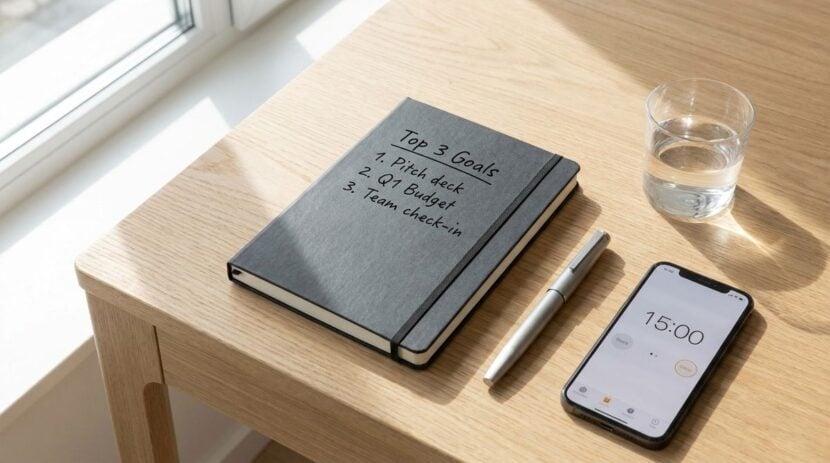
A typical desk setup easily becomes crowded with browser tabs, communication channels, and pop-up alerts. When you are trying to concentrate on deep work, switching between applications just to glance at the daily news or check your itinerary creates constant friction. Setting up a dedicated ambient information screen solves this problem by moving passive updates off your main monitor and into your peripheral vision. Instead of demanding immediate attention, an ambient display sits quietly in your workspace, offering calm visibility into headlines, schedules, and ideas whenever you choose to look over.
Ambient computing relies on the idea that technology should inform you without overwhelming your senses. A small secondary screen functioning purely as an information board behaves more like an office wall calendar or a framed picture than a computer. When configured thoughtfully, it prevents you from opening distracting websites on your primary workstation while keeping you connected to the outside world throughout your working hours.
Choosing the Right Hardware for Passive Viewing
You do not need specialized equipment to create a helpful ambient screen. Repurposed consumer electronics often work best. An older tablet that has lost the processing power needed for demanding applications can easily handle a lightweight dashboard. A compact portable monitor connected to your desktop or a small dedicated display panel can also serve as a dependable canvas. The goal is simplicity, so avoid devices with loud cooling fans or complicated operating systems that demand frequent maintenance.
Positioning and power management deserve attention from the start. Place the display slightly outside your direct line of sight, such as off to the side near a desk lamp. If you look at it constantly without turning your head, it acts as another primary monitor and can disrupt your focus. A weighted stand keeps the screen stable, while routing the charging cable cleanly behind your desk prevents clutter. To protect the panel, lower the display brightness to match the room lighting and enable sleep timers so the device powers down when your workday ends.
Curating Calm and Engaging Feed Sources
The value of an ambient screen depends entirely on what you choose to display. Filling the screen with breaking political alerts or rapid market fluctuations creates visual tension and defeats the purpose of a calm workspace. Instead, aim for a balanced mix of practical utility, intellectual inspiration, and light reading that brings satisfaction when your eyes drift away from a task.
A healthy dashboard benefits from varied perspectives rather than a single continuous feed. For lighter moments and casual breaks, exploring entertaining human-interest stories, visual curiosities, and uplifting international developments provides a refreshing mental reset. Turning to community-driven hubs like bajiroo.com introduces an element of delight through engaging stories and notable discoveries that offer a brief pause without pulling you down an endless rabbit hole of comment sections.
Alongside entertaining discoveries, including feeds that emphasize thoughtful concepts and lifelong learning enriches your daily routine. Passive reading allows complex topics to simmer in your subconscious while you attend to routine tasks. Incorporating knowledge platforms such as Meundies helps you encounter insightful ideas, educational summaries, and meaningful perspectives that stimulate creative thinking without disrupting your concentration.
Configuring Layouts and Refresh Intervals
Once you select your content sources, formatting the layout determines how comfortable the screen feels throughout the day. A crowded interface with dozens of tiny widgets causes visual fatigue. Aim for a clean arrangement featuring three or four distinct modules: a clean clock with the local weather forecast, a simple schedule of your remaining commitments, and a rotating card featuring interesting reading highlights.
Refresh rates must remain conservative. High-frequency animations, scrolling ticker tapes, and flashing updates draw the human eye automatically, breaking your concentration. Set your headlines and reading modules to refresh on a steady schedule at modest intervals throughout the hour. This slow pacing ensures that the screen changes only when you look away, giving you fresh content without perceptible motion in your peripheral vision.
Transit and weather feeds also require deliberate moderation. If you commute regularly, having an overview of regional transit conditions or departure times nearby can be practical. However, running active route monitors with constant recalculations adds visual noise. Just as there are mistakes to avoid with commute tracking apps during daily travel, relying on overactive background syncs on your desk can drain local resources and defeat the purpose of an ambient dashboard.
Essential Principles for a Distraction-Free Display
Maintaining a peaceful workstation requires strict boundaries on how your auxiliary screen behaves. A true ambient display should never speak, beep, or flash to demand your attention. It exists solely to reward intentional glances with useful context, operating under rules that keep it secondary to your real work.
Follow these essential guidelines to keep your auxiliary display peaceful and productive:
- Disable all sound effects, push notifications, and alert banners completely.
- Select large, legible typography that can be read comfortably from several feet away.
- Use neutral color themes or dark backgrounds that blend seamlessly into your desk environment.
- Limit your information panels to a small handful of trusted, high-value topics.
- Set automated schedules so the display dims during lunch and sleeps overnight.
By enforcing these boundaries, you transform the screen from a potential source of distraction into an intentional piece of office utility. When an incoming message cannot ring and a headline cannot flash, the technology serves you rather than competing for your cognitive bandwidth.
Maintaining Your Ambient Screen Over Time
An ambient information display is not a project you configure once and forget completely. Over time, content feeds can break, widgets can stall, and your personal reading interests naturally evolve. Establishing a quick maintenance habit keeps the setup fresh and reliable.
Spend a few moments every few weeks reviewing your content sources. If you notice that a specific news source frequently posts stressful headlines or repetitive updates, swap it for an educational blog or an art feed. Similarly, inspect physical aspects such as dust accumulation and cable stability. Adjust the screen angle if seasonal changes alter the direction of natural sunlight entering your room.
A well-managed desk display ultimately changes your relationship with daily digital information. Rather than constantly checking multiple websites or feeling detached from outside events while working, you establish a controlled window into the wider world. With the right hardware, thoughtful content curation, and calm design principles, your ambient screen becomes an elegant companion that enriches your workspace quietly throughout the entire day.